

FortiBleed 2.0: 975 New Domains & 40,573 Exposed Secrets – Claim Your Ethical Disclosure
Newly obtained FortiGate configuration reports reveal 40,573 records containing cleartext secrets, including 37,076 local-user records and 1,576 Active Directory LDAP bind records. The analysis also identifies 975 domain labels absent from FortiBleed 1.0. The configuration material dates to around February 2026, earlier than the likely May/June material examined in the first investigation.
Earlier Evidence, Obtained Later
FortiBleed 2.0 names the follow-up investigation. Researchers obtained the files only recently. In the CSV, 1,672 of the 1,703 source files have report timestamps on February 20, 2026; 31 are undated. These are report dates, not independently established dates of first compromise or configuration extraction. The comparison below measures exposure recorded in the datasets, not organizations’ responses to the later FortiBleed 1.0 disclosure.
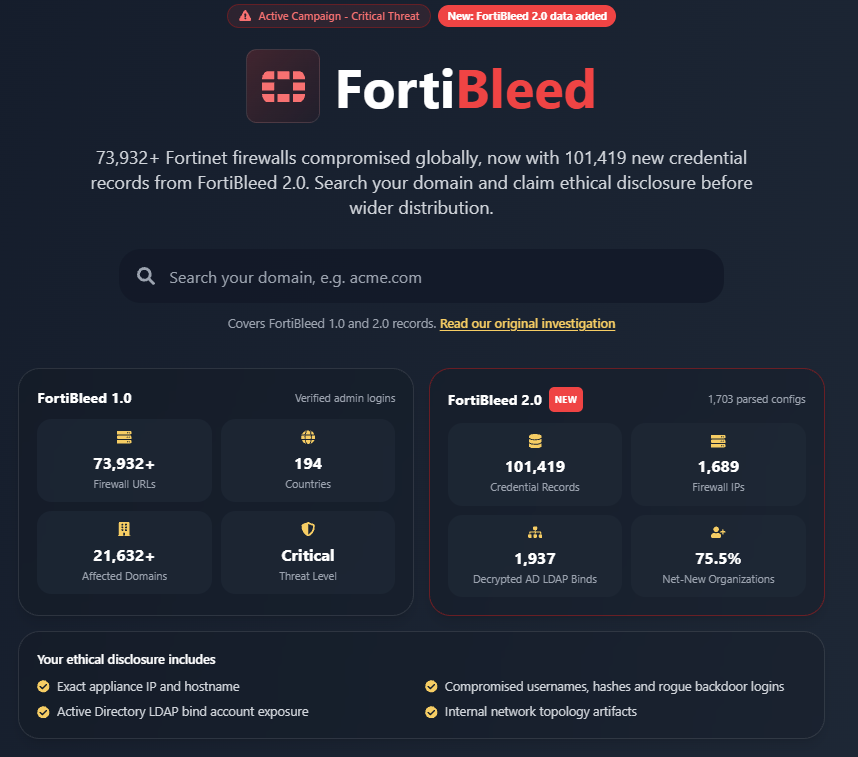
Check your organization: Search the FortiBleed exposure records through Hudson Rock’s free portal.
Check Your Domain →1. What the Configuration Files Reveal
A firewall backup can expose remote-access accounts, the secrets connecting an appliance to Active Directory, and the addresses of internal systems. Across 1,703 configuration-report files, FortiBleed 2.0 shows how much information can become available through administrative access to a network’s perimeter.
The combined export contains 101,419 credential and account records associated with 1,689 nonempty host identifiers. Of those records, 40,573 contain cleartext secrets. Local users account for most of that exposure, but the dataset also includes directory bind accounts, administrator logins, SMTP credentials, and HA cluster secrets. Each category connects the firewall to another part of the organization’s infrastructure.
From 1,703 source files associated with 1,689 host identifiers.
Across local users, administrator logins, LDAP, SMTP, and HA settings.
Service-account secrets recovered within 2,163 LDAP records.
924 of 1,689 host identifiers add coverage beyond the compared perimeter list.
Hudson Rock’s first FortiBleed investigation described a much broader perimeter credential list. Rechecking the FortiBleed 1.0 text dataset yields 73,932 login rows across 69,055 host identifiers. The smaller configuration corpus adds depth: the account tables and directory connections behind those logins, plus records for hosts absent from that larger list.
Research Credit: NyxLab
Hudson Rock credits NyxLab for its foundational technical research into the threat actor known as k0t and the associated extraction tooling. For background on the actor’s operational infrastructure, read NyxLab’s investigation, “Stray Cat, Open Doors: How k0t Wanders Through the Network Edge”
Campaign context and the vulnerability timeline
FortiCloud SSO abuse is part of the wider campaign context. CVE-2026-24858 (CVSS 9.4) affects FortiOS, FortiProxy, and FortiSwitchManager. Fortinet records issuing its advisory on January 27, 2026, before the February report timestamps. Its June assessment also discusses reused credentials and brute-force activity. These records do not establish one initial-access mechanism for every host.
Related Group-IB and NyxLab research describes victim overlap with Qilin and The Gentlemen. A direct affiliation or supplier relationship remains unconfirmed.
2. From Configuration Theft to Internal Access
The associated tooling connects three stages: extracting a configuration, recovering secrets, and attempting access to internal systems. The reports expose the accounts and settings that make this progression possible.
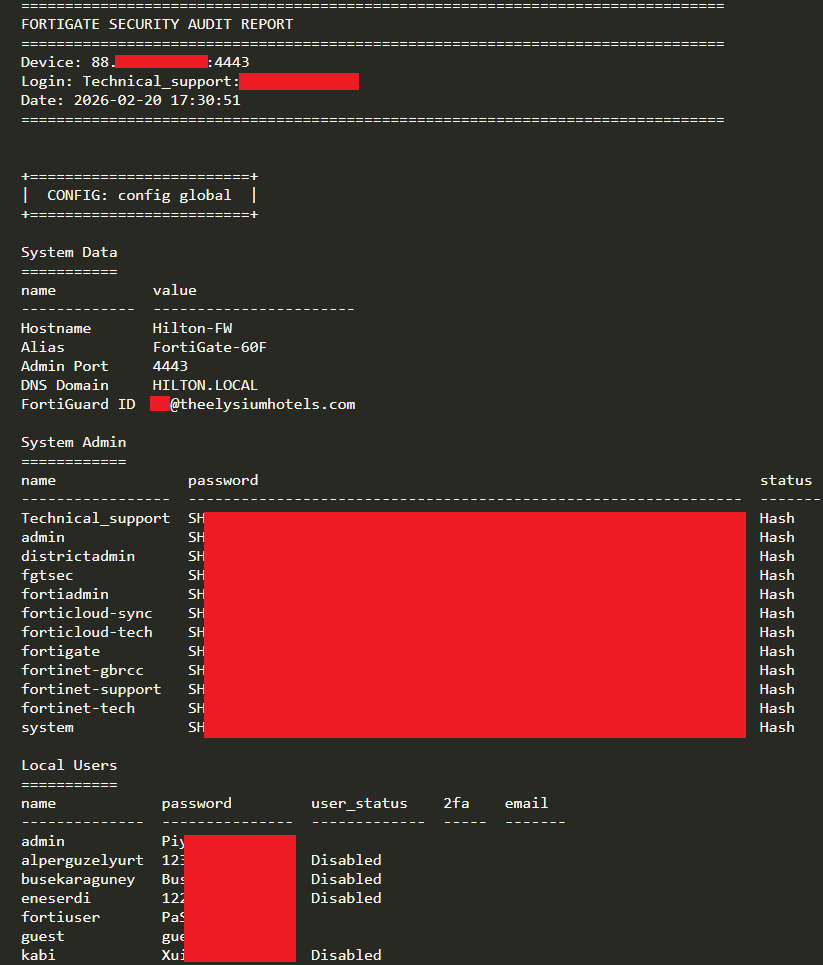
- Extract the configuration and recover secrets. The parsing workflow described around forti_parse.py collects administrator entries, local users, LDAP connections, HA settings, and email-server credentials. The CSV records 37,076 cleartext local-user entries and 1,576 cleartext LDAP bind entries. It also retains hashes and undecrypted values, so the export distinguishes recovered secrets from values whose cleartext is not present in the export.
- Attempt VPN access. The reported vpn_checker.py / openconnect workflow uses eligible VPN credentials to attempt connections. The account’s status, VPN policy, MFA requirements, and reachability determine whether a session is possible. Firewall-management privileges and VPN-user permissions are separate.
- Identify directory servers and assess access. The LDAP server and distinguished-name fields identify directory infrastructure and its bind identities. Research into the associated toolchain describes nxc / NetExec activity against internal systems. An overprivileged bind identity can expose a much wider environment; ordinary LDAP query rights alone do not confer domain-administrator privileges, directory replication rights, or access to NTDS.dit.
Why a Backup Can Expose Working Secrets
The reports distinguish administrator hashes such as SHA-256 (SH2) and PBKDF2 (PB2) from reversibly encrypted ENC secrets. Configurations using FortiOS’s system-default key can permit offline recovery of stored secrets. Fortinet also supports device-specific private-data-encryption keys, so recoverability depends on the version, settings, and material obtained.
Exposure and usable access are different measurements. For example, 7,437 of the 37,076 cleartext local-user records are marked disabled in the CSV. The recovered secret remains part of the exposure, while that status changes how the corresponding login should be assessed.
3. How the Two Datasets Compare
The smaller configuration corpus adds substantial coverage to the perimeter list: 924 of its 1,689 host identifiers (54.7%) are absent from FortiBleed 1.0. Across the three attribution fields used in this analysis, the CSV contains 1,453 distinct domain labels, of which 975 (67.1%) are absent from the 1.0 comparison set. It also adds local-user credentials, directory bind secrets, and configuration details that the perimeter list did not capture.
| What Is Being Compared | FortiBleed 1.0 Perimeter Credential List |
FortiBleed 2.0 Configuration Records |
What the Comparison Adds |
|---|---|---|---|
| Credential & Account Records | 73,932 source login rows | 101,419 credential and account records | Broader information about the accounts and secrets stored on the appliances |
| Distinct Host Identifiers | 69,055, comprising IP addresses and DNS hostnames | 1,689 nonempty host identifiers across 1,703 source reports | 924 (54.7%) absent from 1.0; 765 (45.3%) in both datasets |
| Domain Labels Used for Attribution | 22,003 labels from FortiGuard registration, DNS fields, and SNMP-contact email domains | 1,453 distinct labels from primary attribution, registration emails, and email-format usernames | 975 (67.1%) absent from 1.0; 478 (32.9%) present in both sets |
| Primary-Domain Subset | The same 22,003-label baseline | 962 labels from primary_victim_domain alone | 726 (75.5%) absent from 1.0; 236 (24.5%) present in both sets |
| Recorded Appliance Logins | 73,932 login rows; the text does not contain separate privilege or validation fields | 1,672 cleartext rows labelled FortiGate_Super_Admin_Verified_Login in the CSV | 906 on hosts absent from 1.0; 766 on the 765 overlapping hosts |
| Local-User / SSL-VPN-Related Records | This configuration category was not captured | 83,414 records, including 37,076 cleartext password fields | Account and secret exposure relevant to remote access and local authentication |
| Active Directory LDAP Binds | This configuration category was not captured | 2,163 records, including 1,576 cleartext bind-password fields | Directory service identities, configured servers, and exposed authentication material |
| System Admin Configuration Entries | Full administrator configuration tables were not captured | 13,786 entries, including 13,369 hash-labelled records and 417 empty secret fields | Coexisting administrative identities and account relationships for investigation |
| HA Cluster & SMTP Relay Records | These configuration categories were not captured | 208 HA records and 176 SMTP records; 144 and 105, respectively, are labelled cleartext | Secret exposure extending to cluster membership and email-server integrations |
How the comparison was counted
Host matching uses the host identifier in each record, without resolving DNS names or treating different ports as different hosts. FortiBleed 1.0 contains 68,709 IPv4 addresses and 346 DNS hostnames; FortiBleed 2.0 contains 1,665 IPv4 addresses and 24 DNS hostnames. The overlap comprises 744 IP addresses and 21 hostnames. These identifiers are not a count of independently verified physical appliances. The 1.0 total includes 4,041 duplicate lines, leaving 69,891 distinct full rows.
Credential matching compares each CSV login with all 1.0 records for the same host, using the exact, case-sensitive username and password. “Verified login” refers to the CSV category, not a fresh authentication test.
CSV domain sources: The domain comparison uses only primary_victim_domain, domains extracted from email addresses in fortiguard_or_mssp_id, and domains extracted from email addresses in username. It does not extract domains from user_email, all_public_domains, all_internal_domains, ldap_dn, or any other CSV field.
After trimming, lowercasing, and applying the same DNS syntax rule to both datasets, the three sources contribute 962 primary-domain labels, 594 registration-email domains, and 378 username-email domains. These sets overlap; their deduplicated union contains 1,453 labels. The syntax rule requires dot-separated DNS labels and an alphabetic top-level label of at least two characters. Exact subdomains are preserved. No freemail-provider exclusion list, parent-domain collapsing, or live DNS validation is applied.
Reading the percentages: 67.1% applies to the three-source union (975 / 1,453). 75.5% applies only to the primary-domain subset (726 / 962). Registration and account-email domains can identify providers, freemail services, or other relationships as well as customer organizations. Neither percentage is a count of uniquely identified companies or newly occurring compromises.
See the breakdown by account type
The account categories and secret classifications reconcile to the same 101,419 records:
| Account or Configuration Role | Total | Cleartext | Hash-Classified | ENC | Empty |
|---|---|---|---|---|---|
| Local users / SSL-VPN/Auth | 83,414 | 37,076 | 0 | 10,679 | 35,659 |
| System Admin configuration entries | 13,786 | 0 | 13,369 | 0 | 417 |
| Active Directory LDAP binds | 2,163 | 1,576 | 559 | 0 | 28 |
| Administrative logins marked verified | 1,672 | 1,672 | 0 | 0 | 0 |
| SMTP email-server accounts | 176 | 105 | 71 | 0 | 0 |
| HA cluster records | 208 | 144 | 0 | 64 | 0 |
| Total | 101,419 | 40,573 | 13,999 | 10,743 | 36,104 |
The hash-classified total consists of 10,376 SH2, 2,676 PB2, 316 AK1, and 631 records carrying the generic FortiOS_Hash label. The generic label appears on 559 LDAP, 71 SMTP, and 1 System Admin record.
These are record counts, not counts of unique people or currently usable credentials. The 36,104 empty password fields include 35,659 local-user, 417 System Admin, and 28 LDAP records; the export does not identify an authentication backend for every such entry.
4. What the 765 Overlapping Hosts Reveal
Matching hosts let us compare the administrative access recorded in the two collections. The 765 overlapping host identifiers account for 766 administrator-login rows in FortiBleed 2.0. The comparison reveals both identical credentials and alternative administrator identities.
68.4% Identical Credentials
In 524 of the 766 login records, the username and cleartext password match a FortiBleed 1.0 record for the same host. This is a match between recorded credentials; it does not establish an uninterrupted history of access or password reuse between the periods represented by the datasets.
31.6% Different Administrator Identities
The remaining 242 records use a different administrator username. In 222 cases, the password also differs; in 20 cases, a different username shares the same password. These records identify additional administrative accounts associated with the same hosts.
Recurring Account Patterns
In the differing-login cohort, the FortiBleed 1.0 records most frequently list admin (66), Technical_support (22), laboratorio (16), forti-auth-tech (11), and martinwong (7). The corresponding FortiBleed 2.0 logins include:
- fgtsecure — 106 occurrences, with a recurring password pattern
- admin — 25 occurrences
- Technical_support — 22 occurrences
- callcenter / Callcenter — 17 occurrences
- fgtsec — 11, and forticloud-sync — 5
Account Coexistence in 89.3% of Differing-Login Cases
In 216 of the 242 comparisons (89.3%), the administrator username listed in FortiBleed 1.0 also appears in the earlier configuration’s System Admin table, alongside the different login recorded in FortiBleed 2.0. In 26 cases (10.7%), that username is absent.
This finding establishes account coexistence in the earlier material. It cannot establish later account deletion, continuous access, or the outcome of remediation after the FortiBleed 1.0 disclosure.
The repeated names and credential patterns give affected organizations a focused set of accounts to check against configuration history and ownership records. Names such as admin and callcenter alone do not establish that an account is unauthorized.
5. Behind the Registration Email
The email address used to register a firewall may belong to the company managing it, rather than the organization whose network it protects. MSSPs, telecommunications providers, and IT contractors can therefore appear in a perimeter dataset in place of their customers. A personal email address or NONE registration offers even less context.
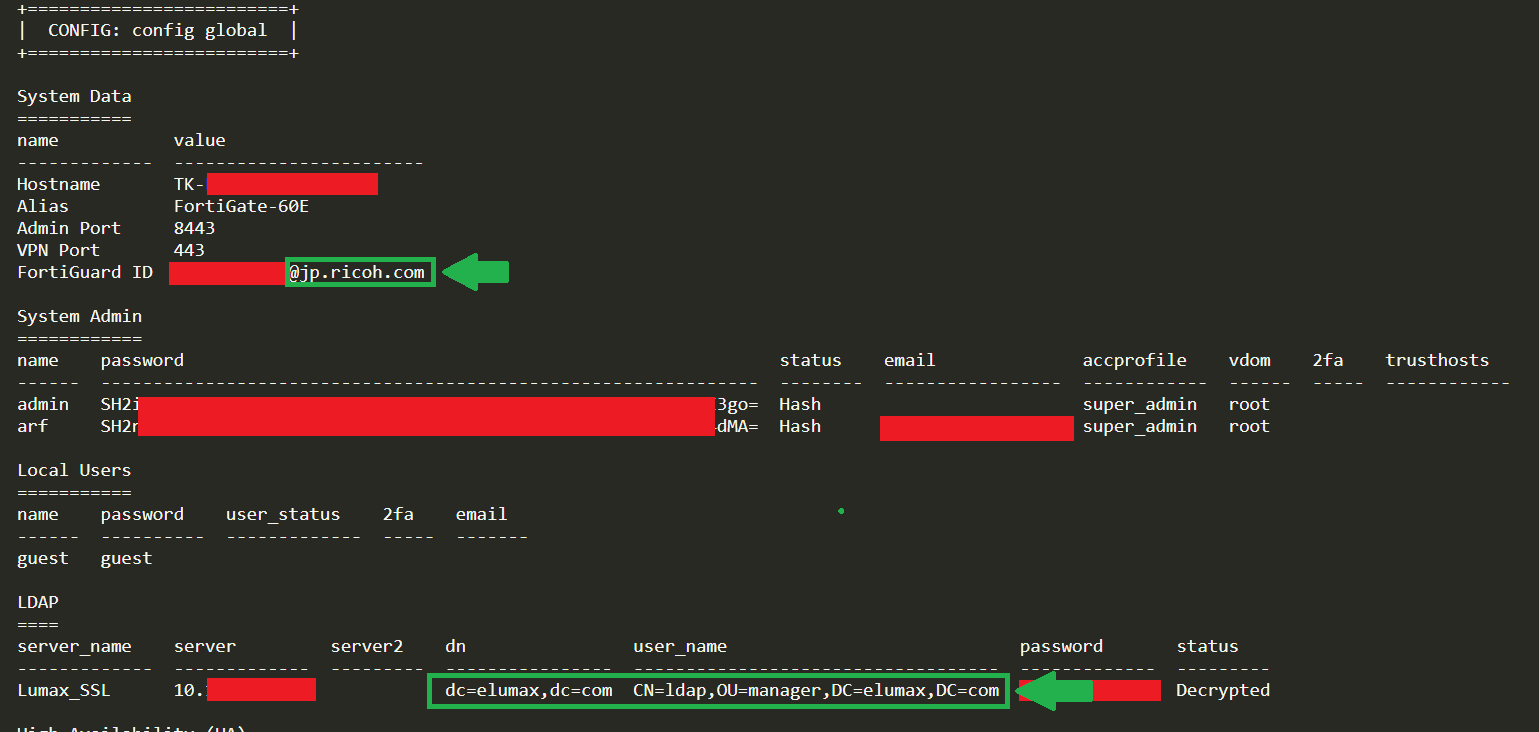
The three selected fields provide complementary clues: the CSV’s primary attribution, the email domain used for FortiGuard registration, and email domains appearing in usernames. Across the 765 matching host identifiers, their combined values supply at least one domain label absent from that host’s 1.0 registration-email domains on 462 hosts (60.4%). These are additional domain relationships to investigate; they are not all newly identified victim organizations.
| Recorded Host | Registration Domain in 1.0 | Configuration Attribution in 2.0 | Evidence in the Supplied Records |
|---|---|---|---|
| 203.159.253.220 | nti.co.th — IT contractor | ovec.go.th — Thailand’s Office of the Vocational Education Commission | The CSV’s primary_victim_domain identifies ovec.go.th, while the registration-email domain is nti.co.th. The CSV contains 22 local-user records for this host. |
| 211.75.64.189 | jp.ricoh.com — Ricoh Japan | elumax.com — Elumax Corporation | The CSV records the registration-email domain jp.ricoh.com and primary attribution elumax.com. |
| 49.229.69.162 | dataworkconnect.com — IT vendor | ads.payap.ac.th — Payap University | The CSV records ads.payap.ac.th in primary_victim_domain and dataworkconnect.com as the registration-email domain. |
How the attribution difference was counted
For each matching host, the comparison forms a deduplicated union from the same three CSV sources used in Section 3: primary_victim_domain, email domains in fortiguard_or_mssp_id, and email domains in username. It compares that union with all FortiGuard registration-email domains recorded for the host in 1.0. A host counts once if it has any additional valid domain label. This yields 462 hosts with additional labels, 244 with only matching labels, and 59 with no usable label from these sources. Of the 462, 256 also have a matching label, and two have no registration-email domain in 1.0. The result measures additional domain information, not a change in ownership or a count of newly compromised organizations.
6. The Network Details Inside the Backup
A directory bind record can reveal both an account and the server it connects to. In this export, ldap_server, ldap_dn, device hostnames, and trusted-host fields add context that a perimeter login list lacks. These details help defenders connect an exposed credential to the internal service that depends on it.
A full FortiGate backup can go further. Address objects, policies, and static routes can identify backup systems, hypervisor-management interfaces, directory servers, and other internal assets. Assessing those additional exposures requires the full policy, address-object, and routing tables. The credential export examined here contains the LDAP and host metadata, so affected organizations should review the underlying configuration as part of their investigation.
- Identity infrastructure: Reconcile exposed LDAP server addresses and bind identities with directory services and review their access history.
- Management access: Review administrator profiles, trusted hosts, and the services reachable from the appliance.
- Backup and virtualization systems: Inspect the full configuration for relevant address objects, access policies, and routes, then assess whether the exposed identities could reach those systems.
Read MFA Fields as Recorded
The local-user records contain 5,042 recognized MFA-method values: 4,114 fortitoken, 909 email, 18 fortitoken-cloud, and one sms. Another 78,369 entries have a blank two_fa field, and three contain anomalous values. A blank field is missing information, not an explicit disabled setting. Effective protection must be assessed against the appliance and any external identity-provider or RADIUS policies.
7. What Affected Organizations Should Check
The response should cover the appliance, its administrator accounts, the secrets stored in its configuration, and any internal activity those credentials may have enabled. Begin by comparing the affected records with current settings and the changes made since the exposure. That establishes which risks remain relevant and which have already been addressed.
Apply the appropriate firmware updates and restrict management access. Fortinet’s response guidance also calls for session termination, credential resets, configuration review, and investigation of potential lateral movement. The configuration findings give that review four concrete areas of focus:
1. Review Administrator Accounts
Compare config system admin with approved ownership, configuration history, and logs. Investigate recurring names such as fgtsecure, fgtsec, Technical_support, forticloud-sync, and forti-auth-tech. Remove accounts confirmed to be unauthorized.
Other names identified in the original analysis include callcenter, my_admin, districtadmin, ftadm1n, and super_admin. A name is an investigation lead; account ownership and history establish whether it belongs.
2. Review Directory Bind Secrets
Identify the service accounts configured under config user ldap. Check whether their secrets were replaced after the exposure, rotate any still-relevant exposed values, and update dependent services.
Remove unnecessary privileges, including excessive Domain Admins membership, and inspect authentication activity. The 1,576 cleartext bind records are a concrete starting point; the sensitivity of each account depends on its permissions.
3. Review VPN Access and MFA
Review config user local, VPN policies, and external authentication dependencies. Reset exposed local secrets that remain relevant and disable unused accounts.
Verify effective MFA across administrative and remote-access paths. The export includes 35,659 local-user records with empty password fields; assess those identities at the appropriate authentication source without assuming that an empty field identifies a particular backend or MFA state.
4. Review HA, RADIUS, and SMTP Secrets
Review cluster credentials under config system ha, RADIUS shared secrets, and email-server credentials under config system email-server. Coordinate any replacements with the services that use them.
The CSV contains 208 HA records, including 144 cleartext secrets, and 176 SMTP records, including 105 cleartext secrets. Account for these integrations alongside firewall and directory access.
Data sources, counting rules, and chronology
Source inventory: FortiBleed 1.0 was checked against all_fortinet.txt; FortiBleed 2.0 was checked against the supplied combined credential CSV. The 1.0 text contains 73,932 login rows, including 4,041 exact duplicate rows and 486 blank-password fields. The earlier 73,931 count omitted one record prefixed with a byte-order marker. There are 69,055 host identifiers: 68,709 IPv4 addresses and 346 DNS hostnames. The text has no independent role, verification-result, or timestamp field.
Configuration export: The CSV has 101,419 rows, including eight exact duplicate rows, across 1,703 source files. Its 1,689 nonempty host identifiers comprise 1,665 IPv4 addresses and 24 hostnames. One source file, containing 15 rows, has no host identifier; 13 hosts appear in two source files each. File counts, record counts, and physical-device counts are different units.
Verification labels: All 1,672 administrative-login-category rows are marked Verified_Active_Login in the CSV. Of these, 1,633 explicitly have accprofile=super_admin; 39 have another or blank profile. These are source labels, not fresh authentication tests or a statement of present-day access.
Dates: Populated report_date fields cover 1,672 files / 98,971 records and all fall on February 20, 2026. Another 31 files / 2,448 records are undated. These timestamps date the reports represented in the export. The approximate February versus likely May/June chronology reflects the investigation’s current understanding of the material; individual compromise, extraction, acquisition, and disclosure dates are separate events.
Interpretation: The analysis concerns recorded exposure. Account names, source status labels, recovered secrets, and attribution fields need to be evaluated alongside an organization’s own records. The files alone do not establish successful internal compromise, continuous attacker access, or the outcome of later remediation.
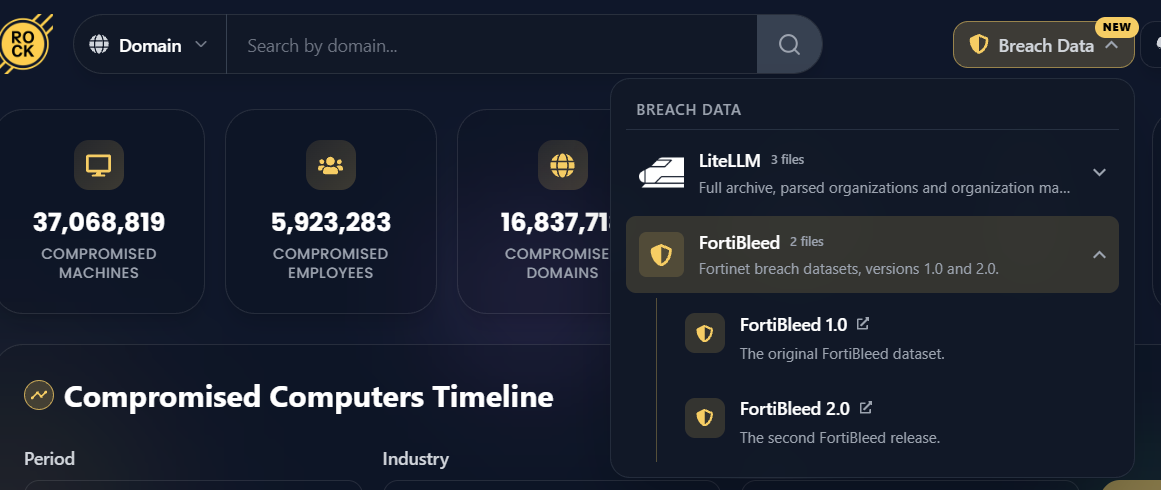
Hudson Rock has indexed the 101,419 FortiBleed 2.0 credential and account records alongside FortiBleed 1.0 in Cavalier. Use the free domain lookup to identify relevant exposure records, then compare the findings with your organization’s inventory, account ownership, and response history.
For Hudson Rock Data Enrichment customers: The raw FortiBleed 2.0, FortiBleed 1.0, and LiteLLM datasets are available through Cavalier’s Breach Data hub.
What impacted organizations receive in their ethical disclosure:
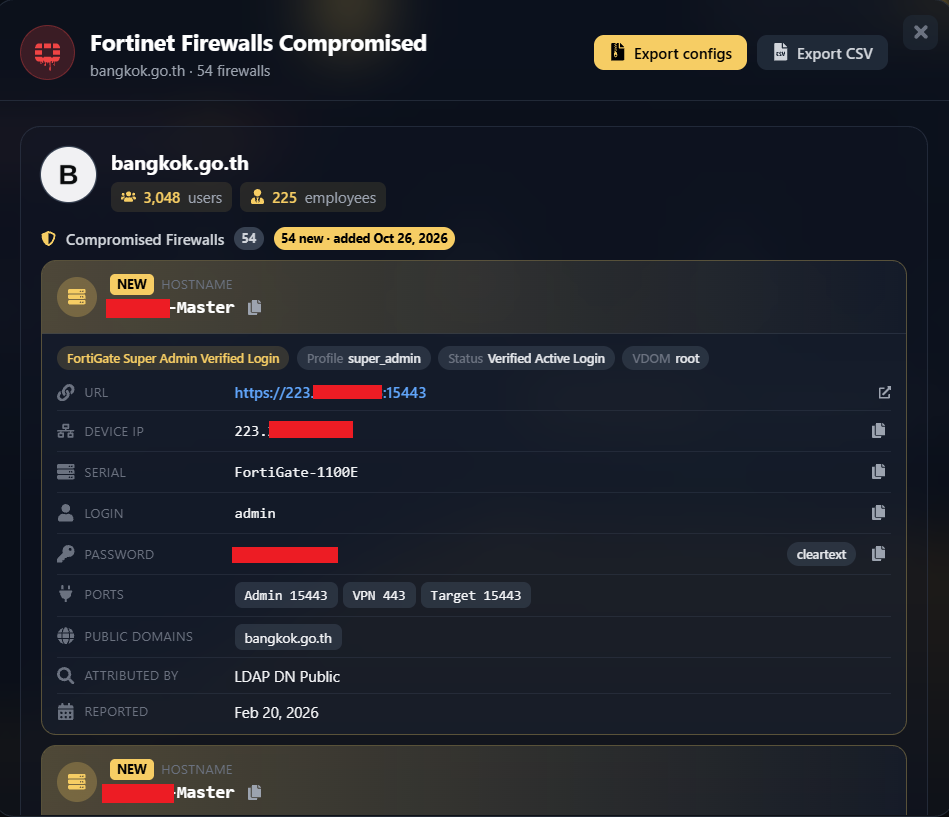
- Exact Appliance IP & Hostname: Recorded appliance identifiers to reconcile with your historical inventory.
- Exposed Usernames & Hashes: Recorded System Admin accounts, recurring accounts requiring review (fgtsecure, etc.), and recovered local-user credentials.
- Active Directory LDAP Bind Account Exposure: The recorded service account name and any recovered cleartext password associated with your appliance.
- Internal Network Metadata: Available internal network metadata, including LDAP server addresses and directory-domain references.